
Prepare a second-language page your team can keep current
Plan one complete language version with shared facts, named reviewers and clear decisions about website behavior.
INSIDE DIGINESTFICTIONAL DEMO
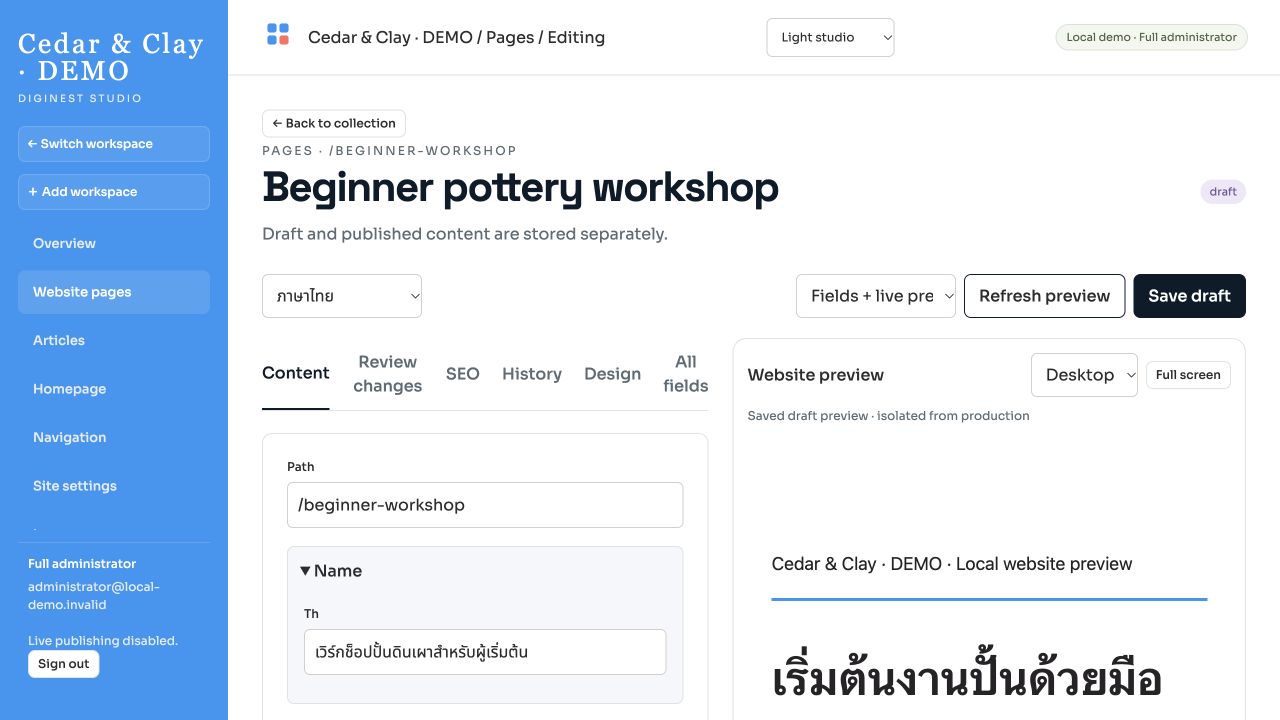
A second-language website page needs more than translated paragraphs. Visitors also need the right service details, understandable buttons and a next step they can use. Your team needs a way to notice when the original information changes.
Before expanding the whole website, prepare a language brief for one important page. Use it to agree the content, review responsibilities and website behavior with the people setting up your DigiNest connection.
1. Choose one complete visitor journey
Pick a page that helps someone make a specific decision, such as understanding a service and asking about availability. List what the visitor sees from the page heading through to the enquiry destination.
Include the small pieces: navigation labels, image captions, button wording and any instructions on the linked form. Decide which of those belong in editable content and which need work in the website code.
Starting with one complete journey gives your reviewer something meaningful to test. Translating several headings without checking their destinations can leave an unfinished experience.
2. Separate shared facts from language choices
Write down the facts that should agree across versions: the service provided, opening hours, location, conditions and what happens after an enquiry. Confirm them with the responsible person before translation begins.
Then identify wording that needs a natural expression in each language. Service names, dates and instructions may need a reviewer who understands both the language and your business context.
Fictional example: A bicycle touring business is preparing an English and Thai version of a tour page. Both need to explain the same meeting location and equipment requirements. The Thai reviewer chooses natural local wording, while the operations manager confirms the facts. The reviewer also checks whether the enquiry team can handle the language customers will use.
This business and its workflow are illustrative, not a customer story or a statement of supported language allowances.
INSIDE DIGINESTFICTIONAL DEMO
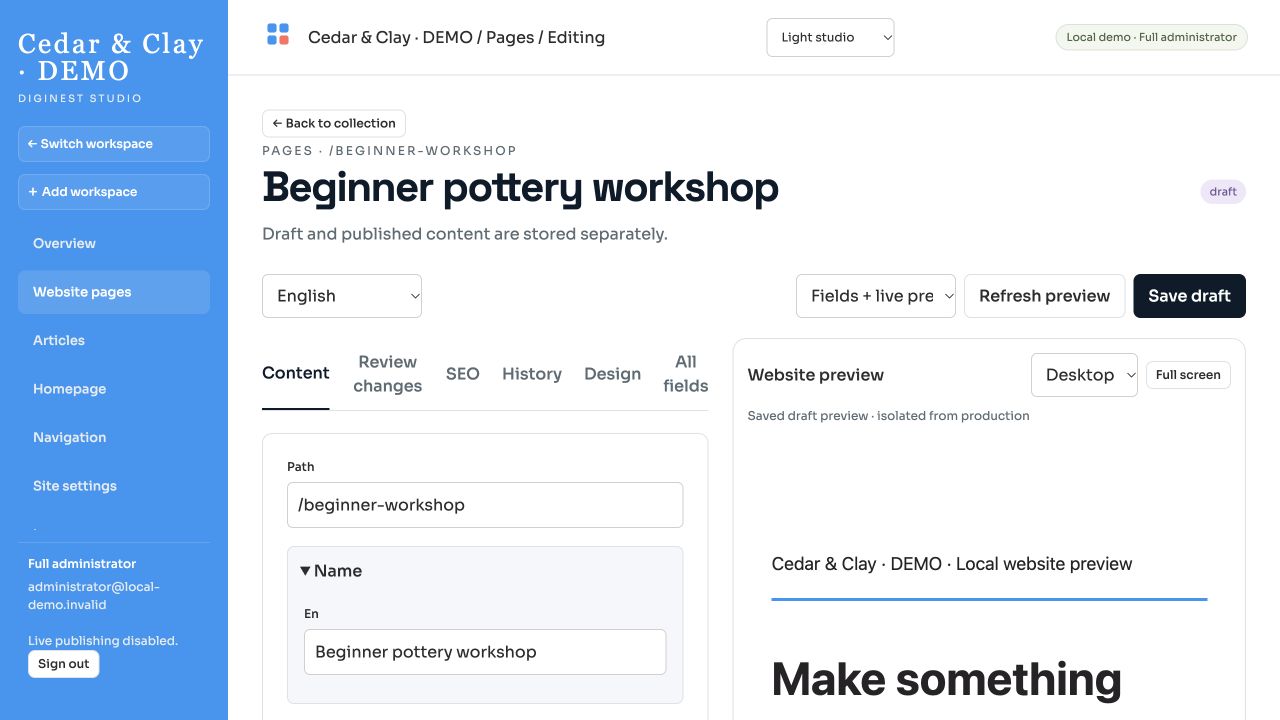
3. Agree what happens when content is missing
Ask your developer and setup team how the website should behave if a language version is unfinished. Should the page wait for review? Should a specific section use an agreed alternative? What will visitors see?
Record the decision for this page, including its language links and destinations. A language selector, page addresses and missing-content behavior depend on the website implementation. Adding a language in a CMS does not automatically translate the content or create those website features.
Confirm your current DigiNest plan's language allowance with the team before committing to the wider rollout.
4. Give each version an owner and a change note
Name who prepares and checks each language. Keep a short record of which version was reviewed and when. Your ordinary planning document is enough; this is a recommended team practice, not a claim about automatic translation tracking in DigiNest.
When a shared fact changes, list every affected language version. For example, a new meeting point needs a check of the page text, directions and enquiry instructions in each version. Give unresolved translations a visible next action rather than assuming the versions remain aligned.
5. Review the page in its actual website layout
Prepare the agreed content for review in DigiNest. Once your website connection is configured, inspect the preview with the language reviewer on a phone and desktop. Check that text fits, buttons make sense and language links lead to the intended pages.
Keep any form submission test separate and agreed with the responsible team. After the approved release, check the public page as well.
DigiNest is the CMS. Your website layout, repository, hosting account and domain remain separate and customer-controlled, with hosting paid separately. Saving content or connector settings does not activate syncing or publishing; the website needs its compatible adapter and verified connection.
Finish with one page brief your team can maintain. Follow DigiNest's connection guide to include those language requirements in your setup review.